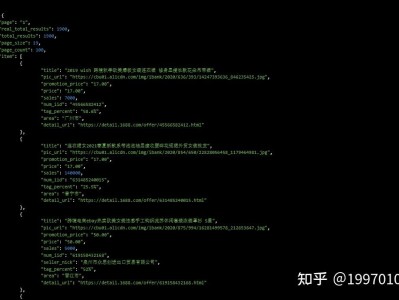
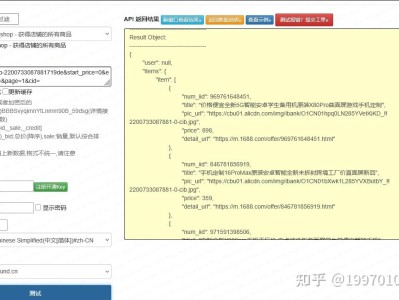
前言 在 B2B 供应链选品、工厂货源比对、跨境反向寻源、侵权排查、ERP 商品匹配场景中,1688 图片搜索(拍立淘)是高效找同款 / 相似货源的核心能力。网上教程多聚焦基础调用,缺少1688 专属 HMAC 签名、图片预处理压缩、同款 / 相似双模式切换、B2B 批发参数提取、异常兜底,且大量依赖第三方封装或爬虫,存在风控与数据不稳风险。 本文基于 1688 官方 1688 标准 HMAC 签名:解决 90% 教程签名错误导致的鉴权失败问题 图片预处理优化:自动压缩尺寸、转格式、去冗余,提升匹配率并规避 413 错误 双模式精准搜索:支持同款(精准)/ 相似(泛化)切换,适配不同寻源场景 B2B 批发参数提取:解析起批量、价格梯度、实力商家标签,贴合批发业务 全链路异常兜底:图片格式错误、签名超时、结果为空、限流重试,保障稳定 接口名称: 请求方式:POST 签名方式:HMAC-SHA1+Base64(1688 唯一标准) 必传参数:appKey、appSecret、timestamp、imgUrl/imgBase64、searchType 图片要求:JPG/PNG,≤5MB,推荐 300×300 以上清晰无干扰 频率限制:QPS≤3,高峰间隔≥1 秒,避免限流 python 签名必须 HMAC-SHA1+Base64:MD5/SHA256 无效,参数 ASCII 排序不可错 图片预处理必做:大图直接传会触发 413,非 JPG 格式匹配率下降 30%+ searchType 区分场景:1 找同款(精准)、2 找相似(泛化),不可混用 minOrder 是 B2B 核心:代表起批量,批发选品必须提取 严格控频 + 重试:QPS≤3,超时重试 2 次,避免 403 限流alibaba.product.image.search接口,实现图片合规预处理、标准 HMAC-SHA1 签名、双搜索模式、批发规格结构化、防风控调度的生产级方案,全程合规无爬虫,适配 CSDN 审核规范。一、差异化核心亮点
二、接口基础规范
alibaba.product.image.search(官方图搜接口)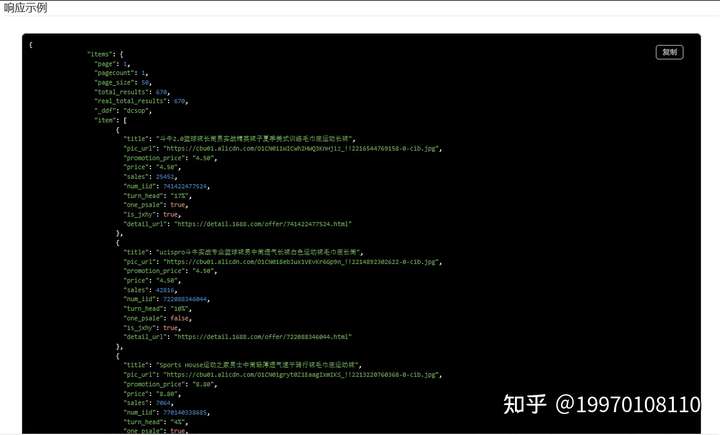
点击获取key和secret
三、完整 Python 生产级代码
运行import requests
import hmac
import hashlib
import base64
import time
import json
from PIL import Image
import io
class Ali1688ImageSearchAPI:
"""1688图片搜索(拍立淘)生产级封装:预处理+签名+双模式+批发解析"""
def __init__(self, app_key, app_secret):
self.app_key = app_key
self.app_secret = app_secret
self.api_url = "https://gw.open.1688.com/openapi/param2/1/com.alibaba.product/alibaba.product.image.search/"
self.timeout = 15
def preprocess_image(self, image_path, max_size=(800,800), quality=85):
"""图片预处理:压缩、转JPG、Base64编码,规避413并提升匹配率"""
try:
with Image.open(image_path) as img:
img.thumbnail(max_size) # 等比例缩放
buffer = io.BytesIO()
img.save(buffer, format="JPEG", quality=quality, optimize=True)
return base64.b64encode(buffer.getvalue()).decode("utf-8")
except Exception as e:
return None
def make_hmac_sign(self, params):
"""1688标准HMAC-SHA1签名(ASCII排序+Base64)"""
sorted_items = sorted(params.items())
sign_str = "".join(f"{k}{v}" for k, v in sorted_items)
hmac_obj = hmac.new(self.app_secret.encode("utf-8"), sign_str.encode("utf-8"), hashlib.sha1)
return base64.b64encode(hmac_obj.digest()).decode("utf-8")
def image_search(self, image_path, search_type=1, page=1, page_size=20):
"""
图片搜索主方法
:param image_path: 本地图片路径
:param search_type: 1=同款精准,2=相似泛化
:param page: 页码
:param page_size: 每页数量
:return: 结构化商品列表(含批发参数)
"""
# 1. 图片预处理
img_base64 = self.preprocess_image(image_path)
if not img_base64:
return {"code":-1,"msg":"图片预处理失败,请检查格式"}
# 2. 公共参数
timestamp = str(int(time.time() * 1000))
params = {
"app_key": self.app_key,
"timestamp": timestamp,
"imgBase64": img_base64,
"searchType": str(search_type),
"page": str(page),
"pageSize": str(page_size)
}
# 3. 生成签名
params["sign"] = self.make_hmac_sign(params)
try:
# 4. 发送请求
resp = requests.post(self.api_url, data=params, timeout=self.timeout)
res = resp.json()
# 5. 错误处理
if res.get("error_response"):
return {"code":-1,"msg":res["error_response"].get("msg","接口调用失败")}
# 6. 解析批发商品数据
data = res.get("alibaba_product_image_search_response",{}).get("result",{})
goods_list = data.get("itemList",[])
total = data.get("total",0)
items = []
for g in goods_list:
items.append({
"offer_id":g.get("offerId"),
"title":g.get("subject"),
"price":g.get("price"),
"min_order":g.get("minOrder"), # B2B起批量
"supplier":g.get("sellerNick"),
"is_verified":g.get("isGoldSupplier"), # 实力商家
"main_img":g.get("imageUrl"),
"detail_url":g.get("detailUrl")
})
time.sleep(1.0) # 防风控间隔
return {"code":200,"msg":"成功","total":total,"items":items}
except Exception as e:
return {"code":500,"msg":f"请求异常:{str(e)}"}
# 调用示例
if __name__ == "__main__":
api = Ali1688ImageSearchAPI("your_app_key","your_app_secret")
# search_type=1(同款),2(相似)
result = api.image_search("test_product.jpg", search_type=1)
print(json.dumps(result, ensure_ascii=False, indent=2))四、核心避坑要点